Your tax firm, always within reach.
TaxTether is the secure client app that keeps you and your tax preparer on the same page — book appointments, upload documents, send messages, and track every deadline, all from one place. No more chasing emails or wondering where things stand.
Individuals
Wage earners, freelancers, and self-employed clients who want a simple way to stay organized every filing season.
Business owners
Sole traders, partnerships, and small companies who need to keep records, receipts, and filings moving smoothly.
Landlords & investors
Clients with rental income, dividends, or investment activity who need to track deadlines across multiple sources of income.
Getting started
Creating an account takes a couple of minutes, and if your firm has already invited you, it's even faster — most of your details will already be filled in.
Simple, secure sign-up
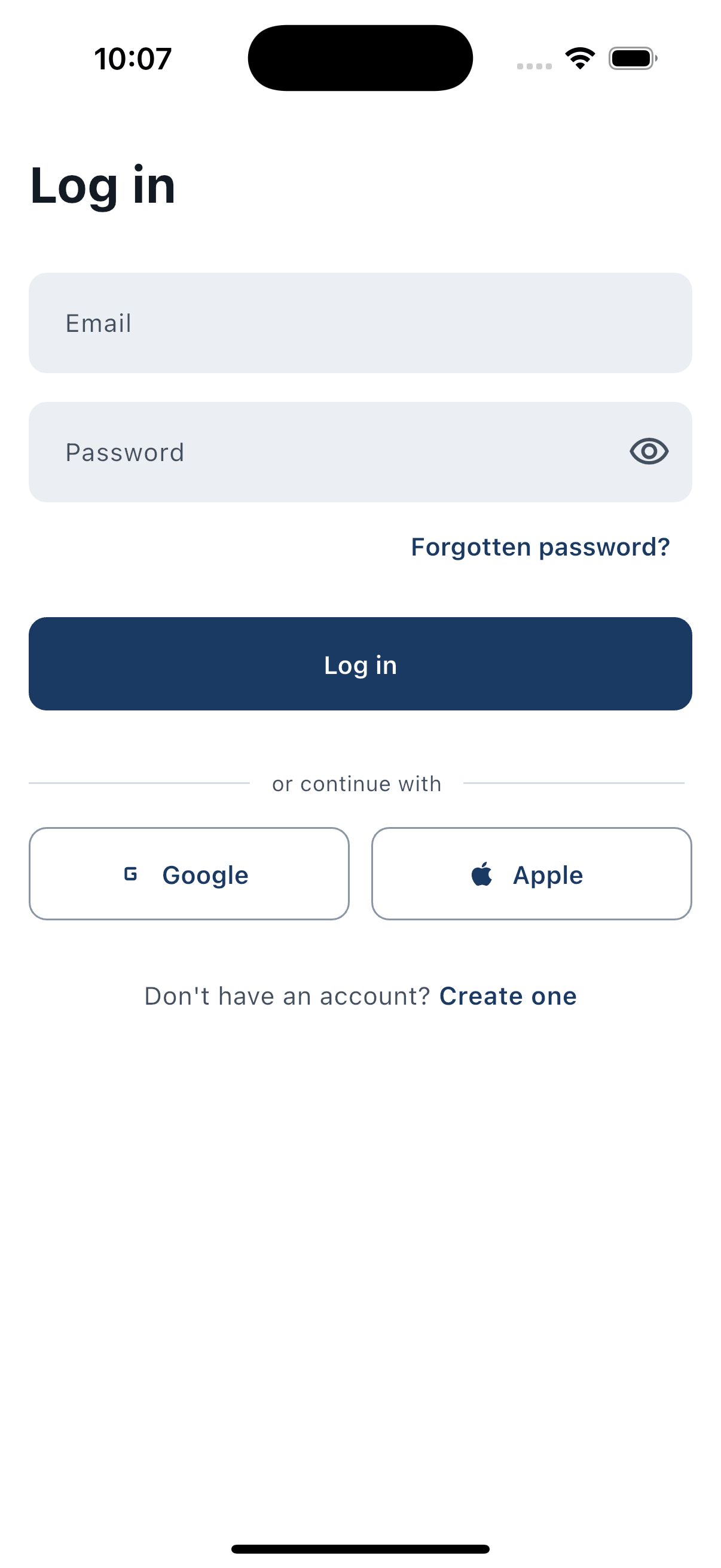
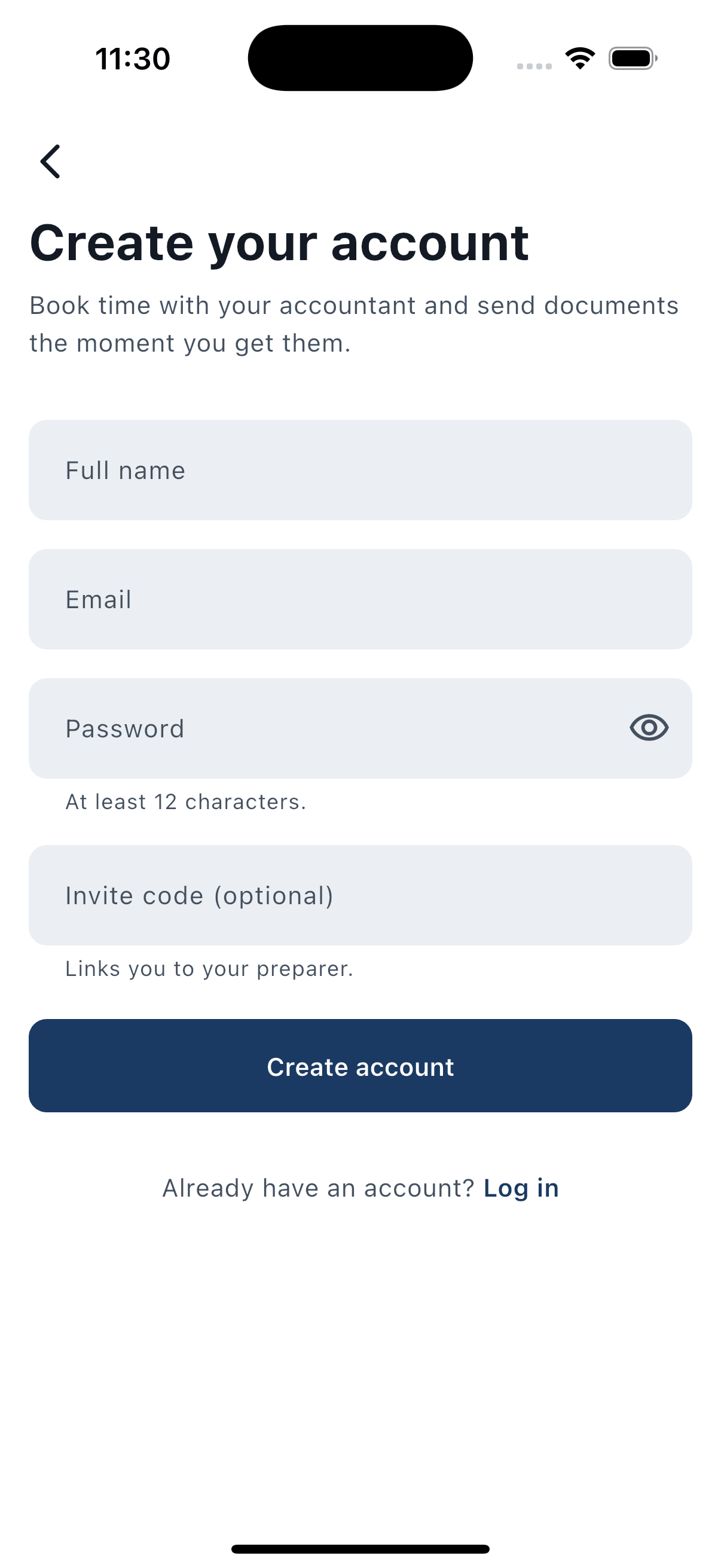
Create your account with an email address and password. Every password is checked against known data breaches as you type, so you're never left with a weak or previously-compromised password protecting your tax information.
Sign in with Google or Apple
Prefer not to manage another password? Sign in using your existing Google or Apple account for a faster, one-tap login experience.
Join with an invite code from your firm
If your tax preparer has already set you up, they'll send you a personal invite code. Enter it during sign-up and TaxTether automatically links you to the right preparer and firm, and pre-fills details they already have on file — so you don't have to start from scratch.
Forgot your password?
Request a reset link by email at any time. Click the secure, time-limited link to choose a new password and get straight back into your account.

Onboarding & your profile
A short, guided setup collects exactly what your preparer needs — nothing more — and adapts automatically depending on where you file.
Tell us where you file
Choose your jurisdiction — United States or United Kingdom — first. Everything after this step, from the fields you see to the deadlines you're shown, is tailored automatically to your country's tax rules.
Add your personal details
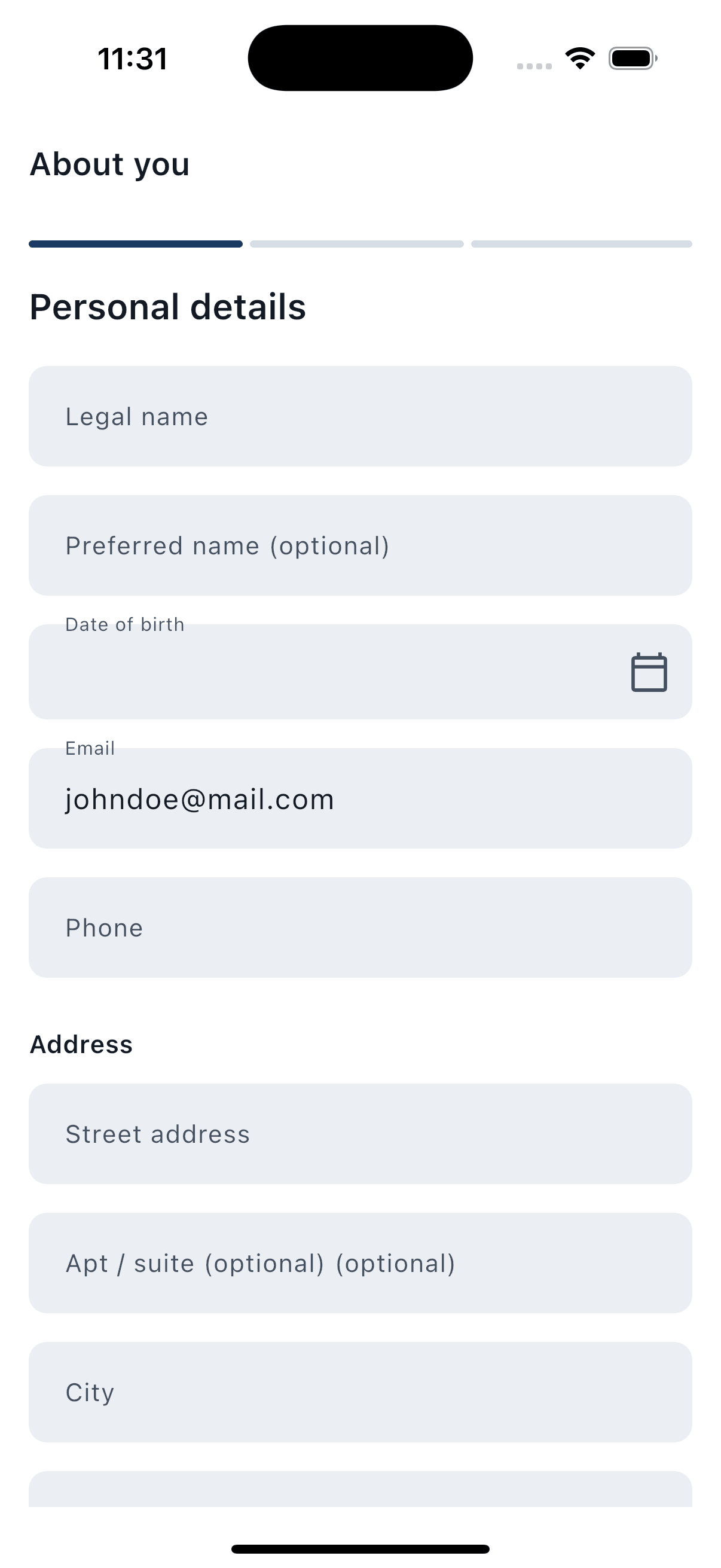
Legal name, preferred name, date of birth, contact details, and address — captured once, used everywhere.
Tell us about your tax situation
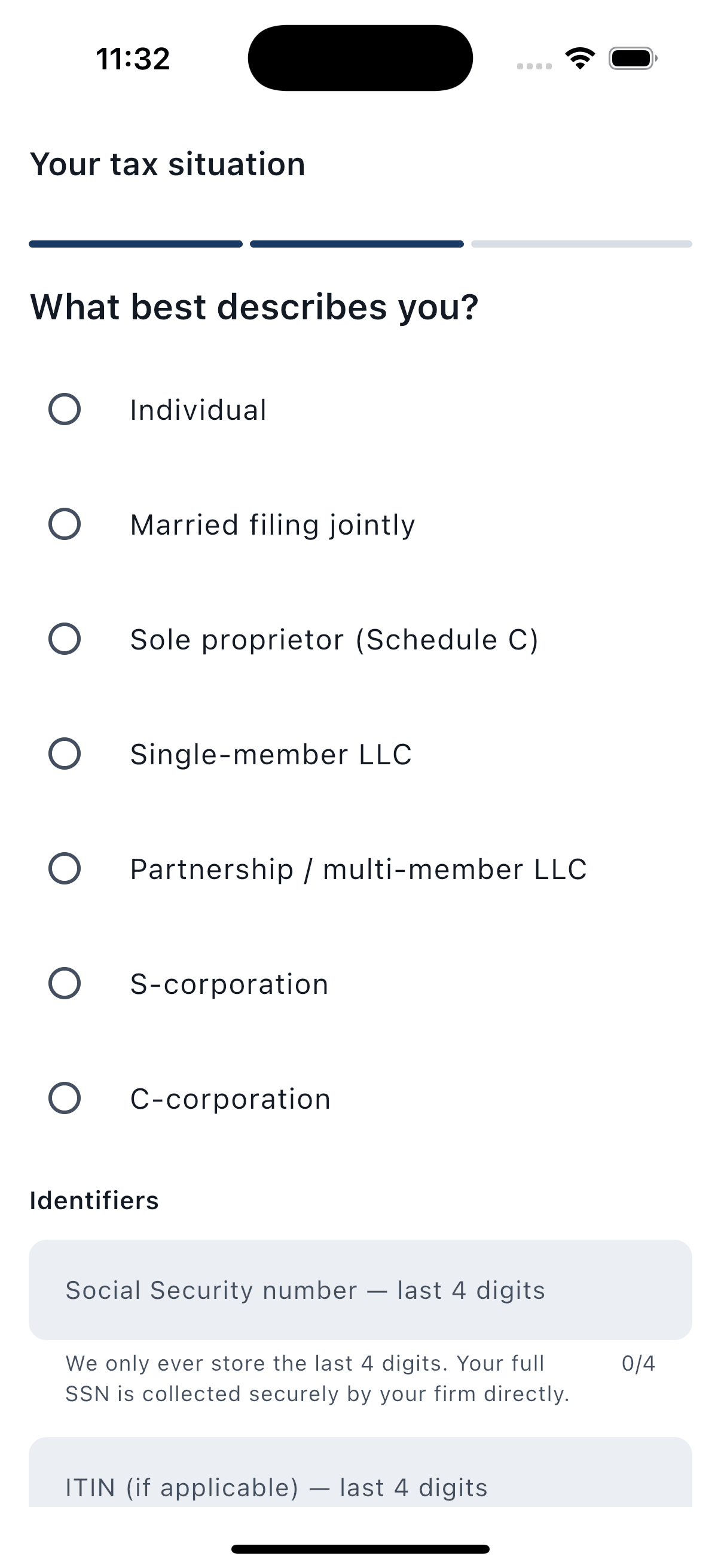
Select your client type (employed, self-employed, landlord, business owner, and more) and provide the relevant tax reference numbers for your country.
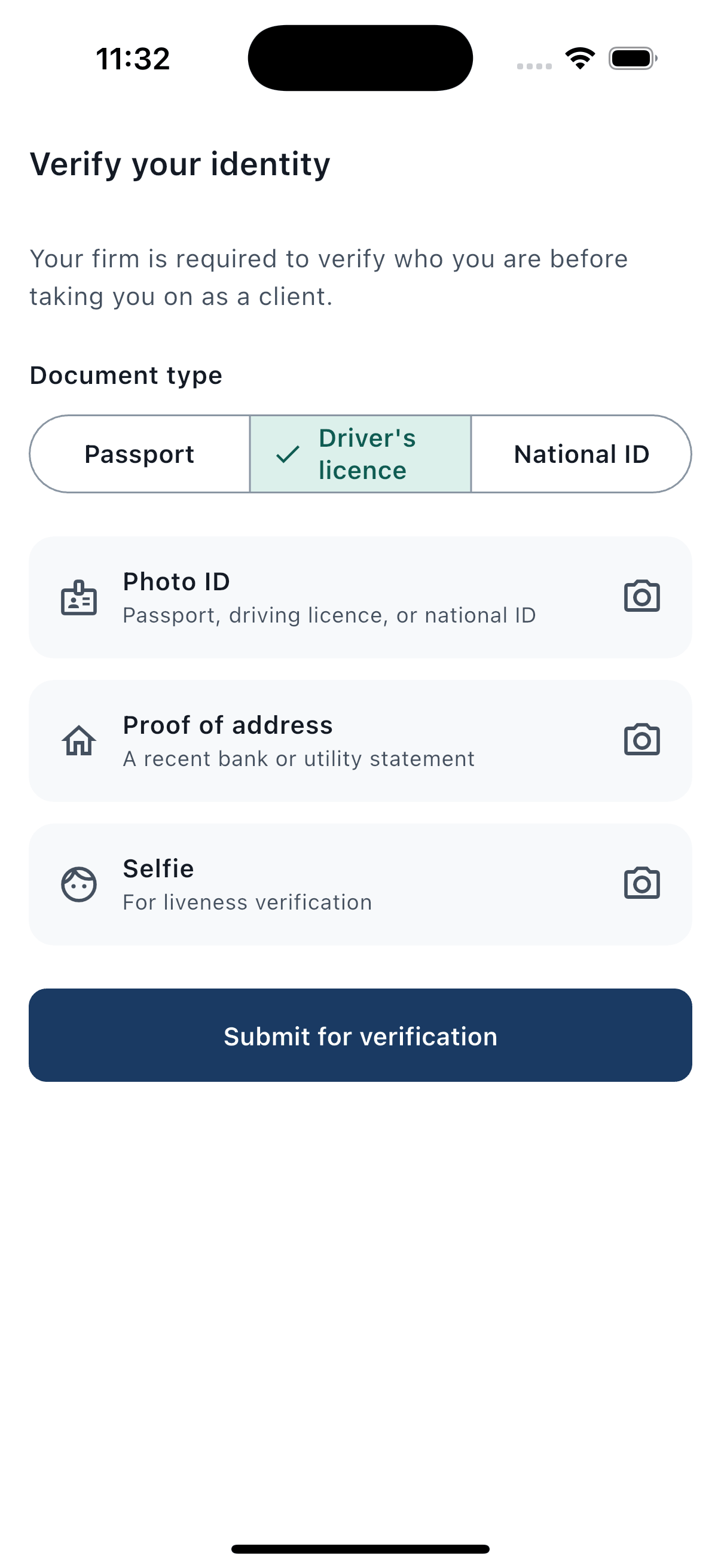
Verify your identity
A quick, guided capture of a photo ID and a live selfie confirms you are who you say you are — a standard anti-fraud step required by tax and financial regulations.
Your tax identifiers, protected
Sensitive numbers like your Social Security Number or Individual Taxpayer Identification Number are only ever shown as their last four digits in the app — full numbers are never displayed back to you or stored insecurely on your device.
- US: Social Security Number / ITIN (last 4 digits shown)
- UK: Unique Taxpayer Reference, National Insurance number, VAT number, Company Registration Number, PAYE reference
Making Tax Digital scope check (UK)
UK clients answer a short set of questions about income so TaxTether can tell them whether — and when — they'll need to comply with HMRC's Making Tax Digital rules, based on current and upcoming income thresholds.
We'll never ask for your government login
TaxTether will never ask for your IRS or HMRC online account password, user ID, or PIN — and it actively warns you if you ever try to type one into a message by mistake.
Always know how complete your profile is
A simple completion indicator shows you at a glance whether there's anything left to fill in, so nothing holds up your preparer when tax season arrives.
Consents & authorizations
Every engagement starts with the right paperwork — signed conveniently from your phone, with a full record kept for both you and your firm.
Sign your engagement letter digitally
Review your firm's engagement letter right in the app and sign it with your typed legal name — no printing, scanning, or emailing PDFs back and forth.
Jurisdiction-specific authorizations
TaxTether presents exactly the consent forms relevant to your country, so you only ever see what actually applies to you.
- United States: IRC §7216 consent to use/disclose tax return information, Form 2848 (Power of Attorney), and Form 8821 (Tax Information Authorization)
- United Kingdom: Form 64-8, which authorizes your firm to act as your agent with HMRC
A single inbox for anything that needs your signature
Whenever your firm needs a new consent or authorization signed, it lands in one clear inbox with a due date — so nothing gets missed or buried in email.
Full consent history
See exactly what you've signed and when, at any point — a transparent, always-available record for your own peace of mind.
Home dashboard
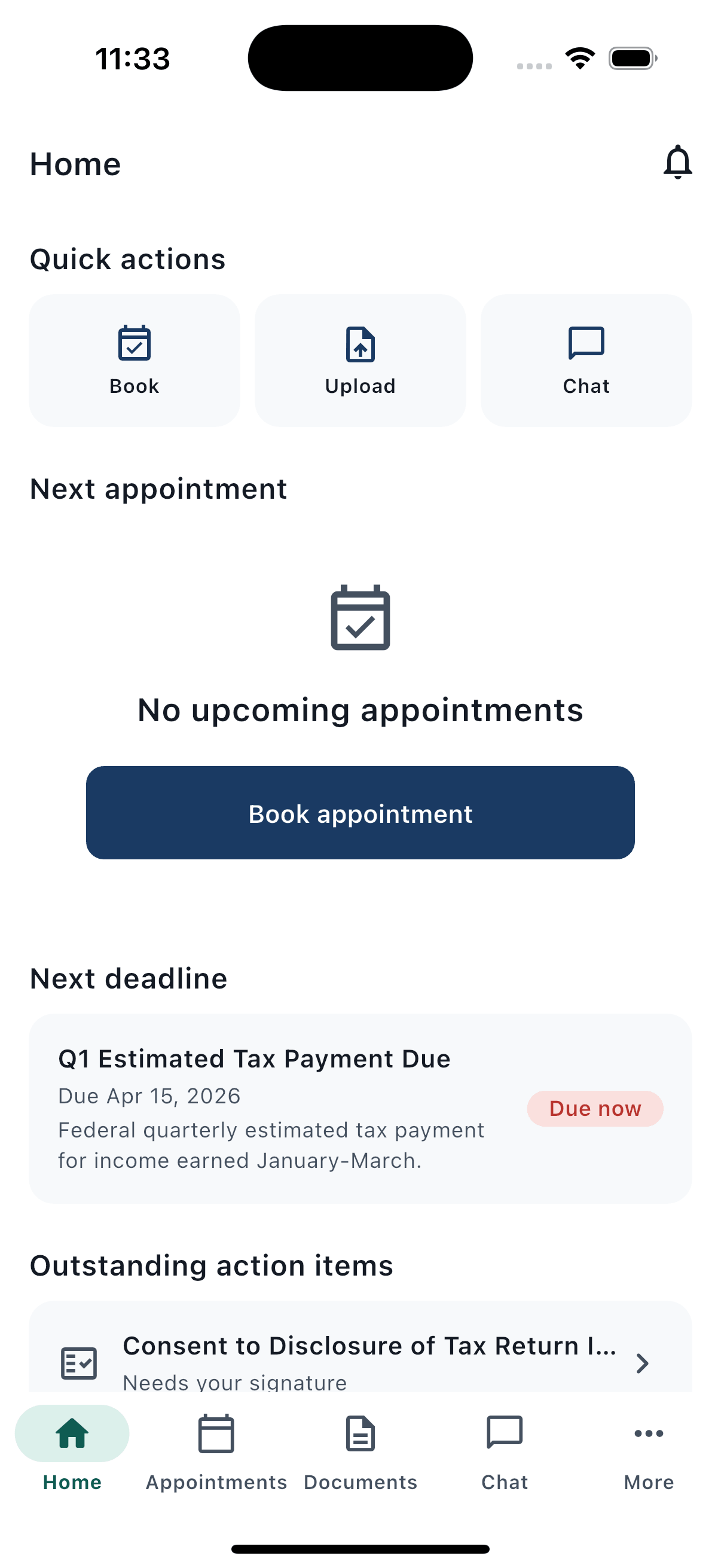
The moment you open TaxTether, you know exactly where things stand — what's coming up, what needs your attention, and what's happened recently.
Your next appointment, front and center
See the date, time, and format of your next meeting with your preparer the instant you open the app.
Your next deadline, with urgency at a glance
A clear, color-coded card shows your nearest tax deadline and exactly what action it requires — so nothing sneaks up on you.
One-tap quick actions
Book an appointment, upload a document, or start a conversation with your preparer — all just one tap from the home screen.
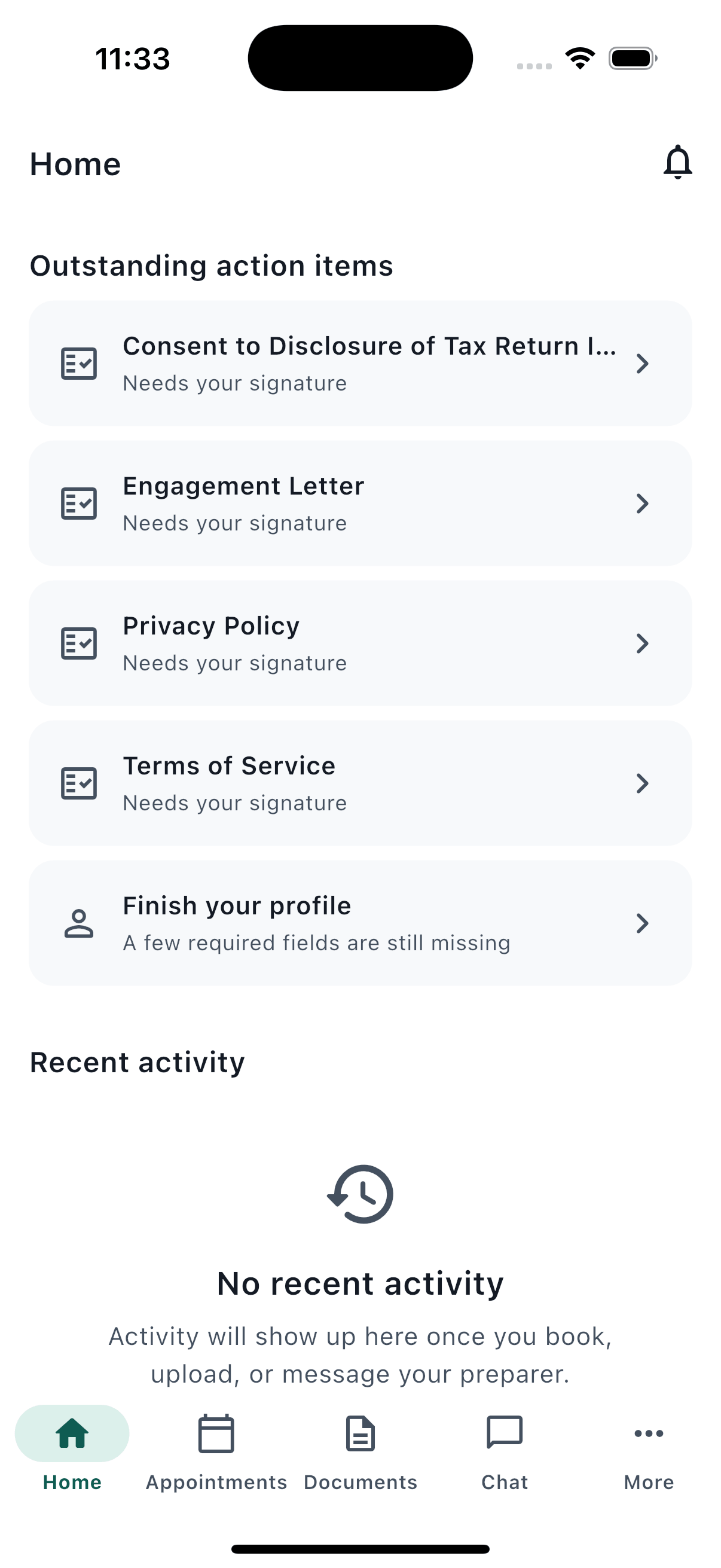
Outstanding items, all in one list
A running list flags anything that still needs your attention — an unsigned consent, an incomplete profile, or a document that needs re-uploading — each linking straight to where you can resolve it.
Recent activity feed
A simple timeline of your most recent activity — appointments, uploads, messages, and signatures — so you can quickly retrace what's happened.
Appointments & booking
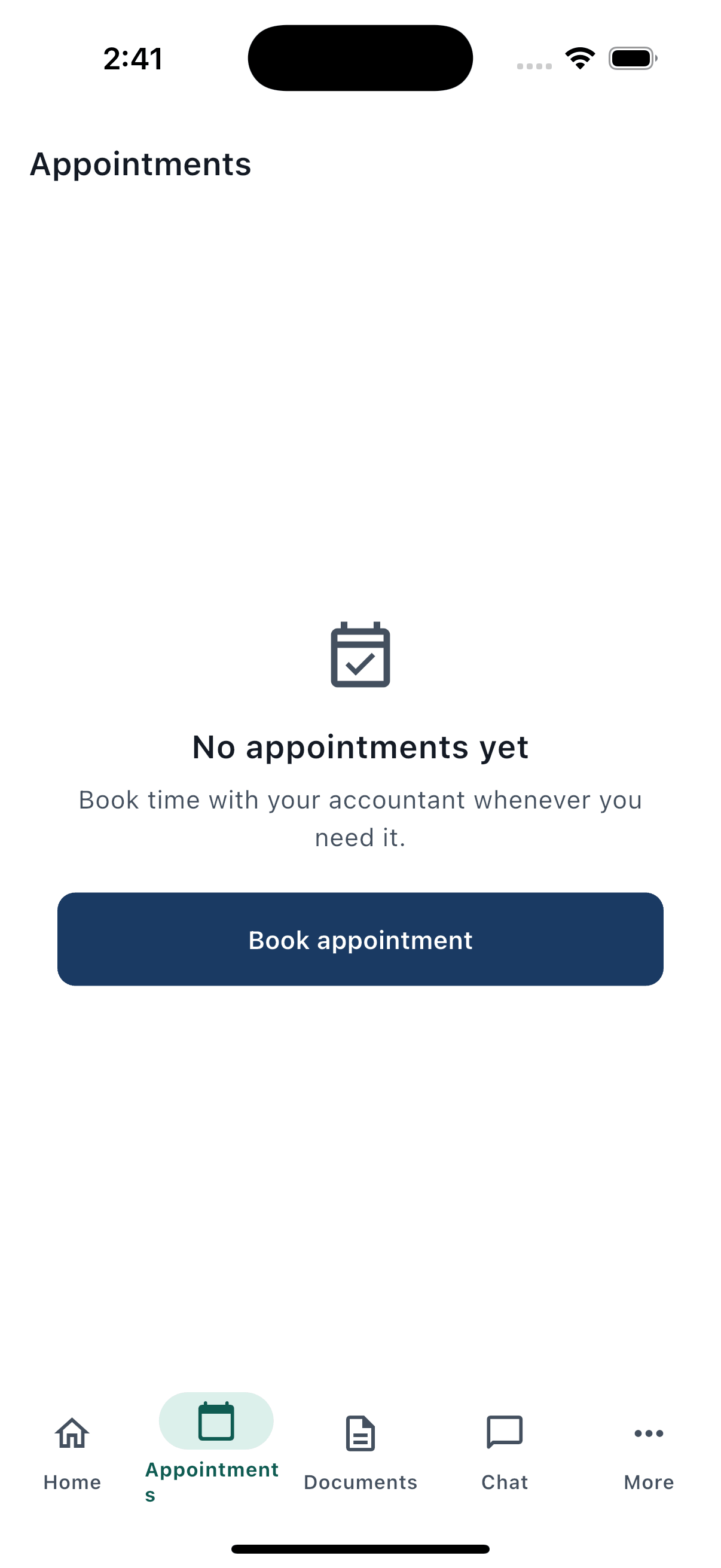
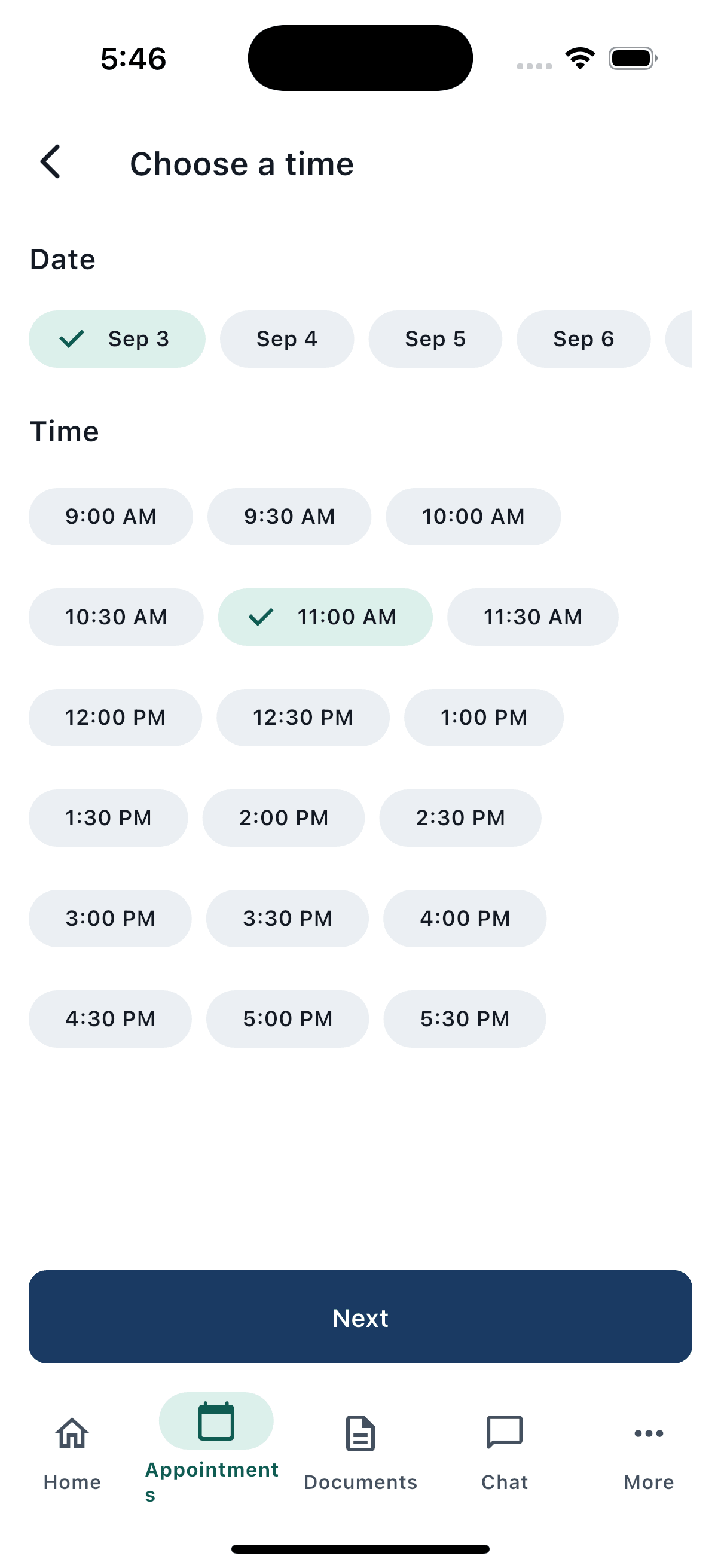
Book time with your preparer in a few taps — no phone calls, no back-and-forth emails to find a slot that works.
Book the right kind of appointment
Choose from your firm's service catalog — from annual return preparation to a quick quarterly check-in — and pick the meeting format that suits you: video call, phone call, or in person.
- US example services: annual return preparation, quarterly estimated tax review, new business setup, IRS notice response, bookkeeping catch-up
- UK example services: Self Assessment review, MTD quarterly check-in, VAT registration advice, limited company year-end, HMRC enquiry support
Real-time slots, or a request if the firm prefers
When your firm's calendar is connected, pick an open time slot instantly. Otherwise, propose two or three windows that work for you and your preparer will confirm the best fit — you'll never be shown a slot that isn't genuinely available.
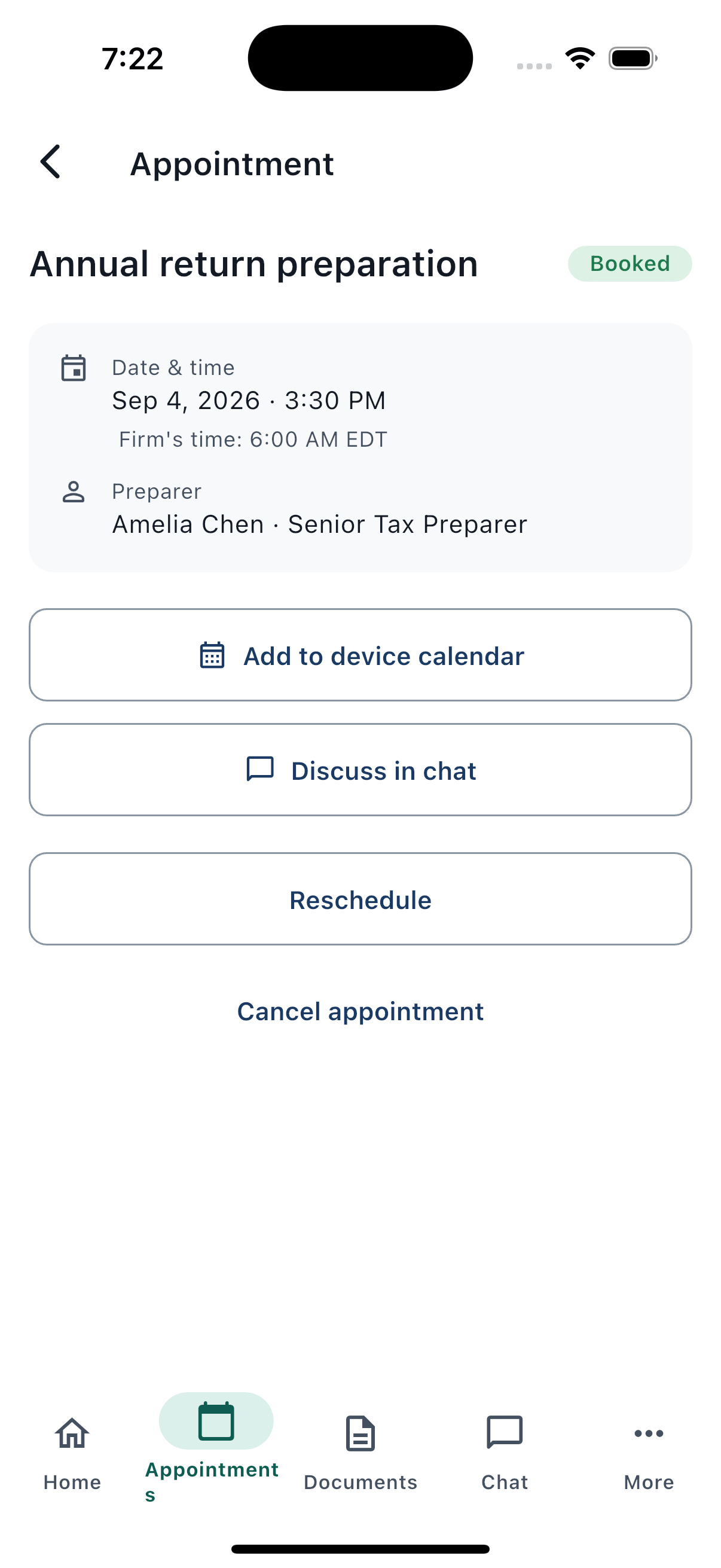
Always shown in your firm's local time
Appointment times account for time zones and daylight saving automatically, and show your firm's local time alongside your own — so there's never any confusion about when a call actually happens.
Add notes and attach documents before you meet
Let your preparer know what you'd like to cover, and attach a relevant document straight from your uploads — so your meeting starts productive, not with catch-up.
Know exactly what to bring
Each service lists what to have ready beforehand, so your appointment time is spent on advice, not paperwork gathering.
Reschedule or cancel with ease
Change plans up to 24 hours before your appointment, right from the app — just choose a reason and you're done. Inside that 24-hour window, you'll be prompted to contact your preparer directly.
Never miss it
Add any appointment straight to your phone's calendar with one tap, and get reminders in the run-up to the day.
Rate your experience
After a completed appointment, leave a quick star rating and feedback — helping your firm keep service quality high.
Document uploads
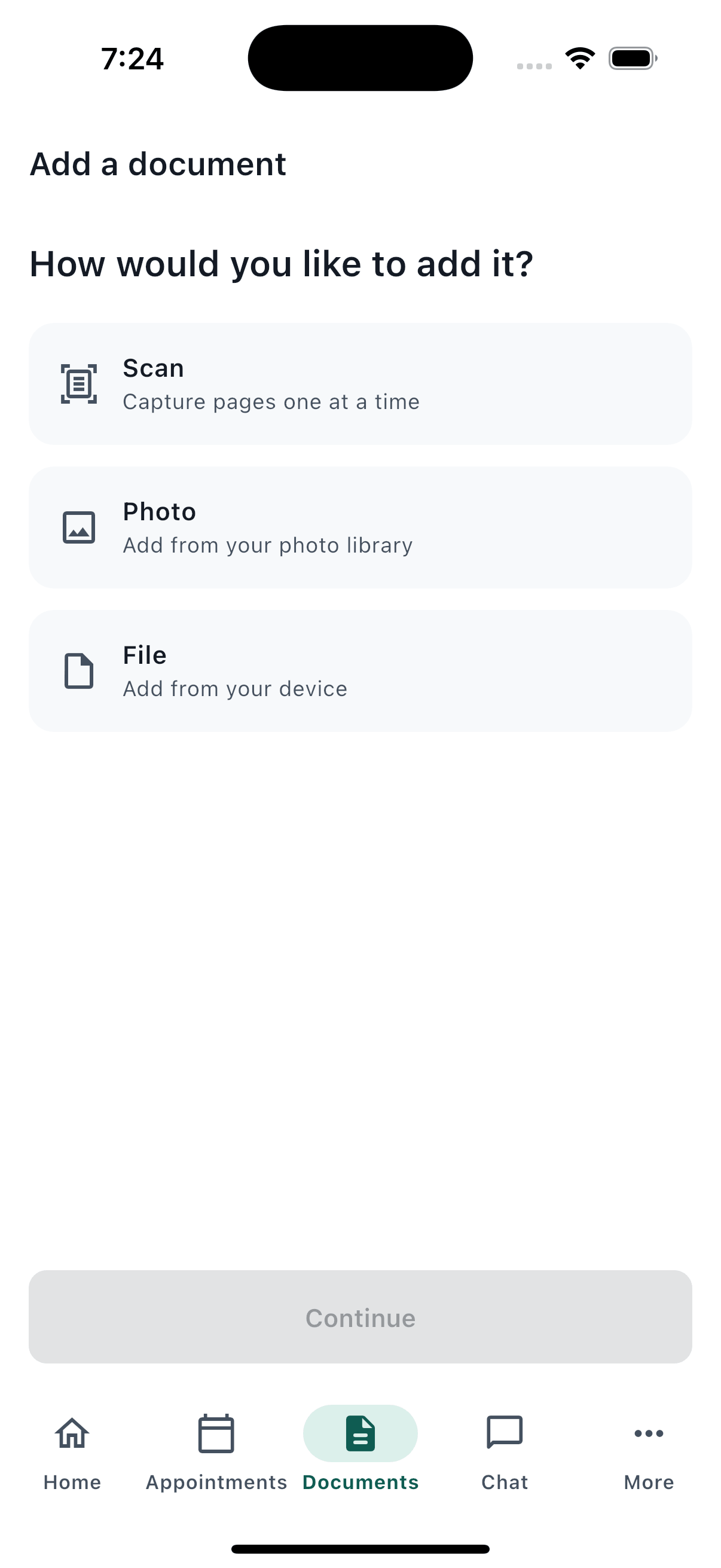
Get your tax documents to your preparer in seconds, however they arrive — a paper form, a photo, or a file already on your phone.
Scan, snap, or upload — your choice
Use TaxTether's built-in scanner to capture crisp, auto-cropped pages of a paper document, choose photos already on your phone, or pick a file directly. Multi-page documents can be captured in a single, continuous session.
- Supported files: PDF, JPG, PNG, HEIC, CSV, and XLSX
- Automatic edge detection and cropping when scanning paper documents
- Smart compression keeps uploads fast — or turn it off to preserve original image quality
Key details extracted automatically
Where possible, TaxTether reads key details straight off your document — like the payer, reference, or amount — and pre-fills them for you, so you spend less time typing.
Organized by category and tax period
Tag each document with the right category and the tax period it belongs to, so everything stays easy to find for you and your preparer alike.
- US categories: W-2, 1099 forms, 1098 mortgage interest, K-1s, brokerage statements, business receipts, mileage logs, charitable contributions, prior-year returns, IRS notices, and more
- UK categories: P60, P45, P11D, sales invoices, bank & credit card statements, mileage logs, rental income & expenses, dividend vouchers, pension contributions, Gift Aid records, HMRC correspondence, and more
A library that's easy to search
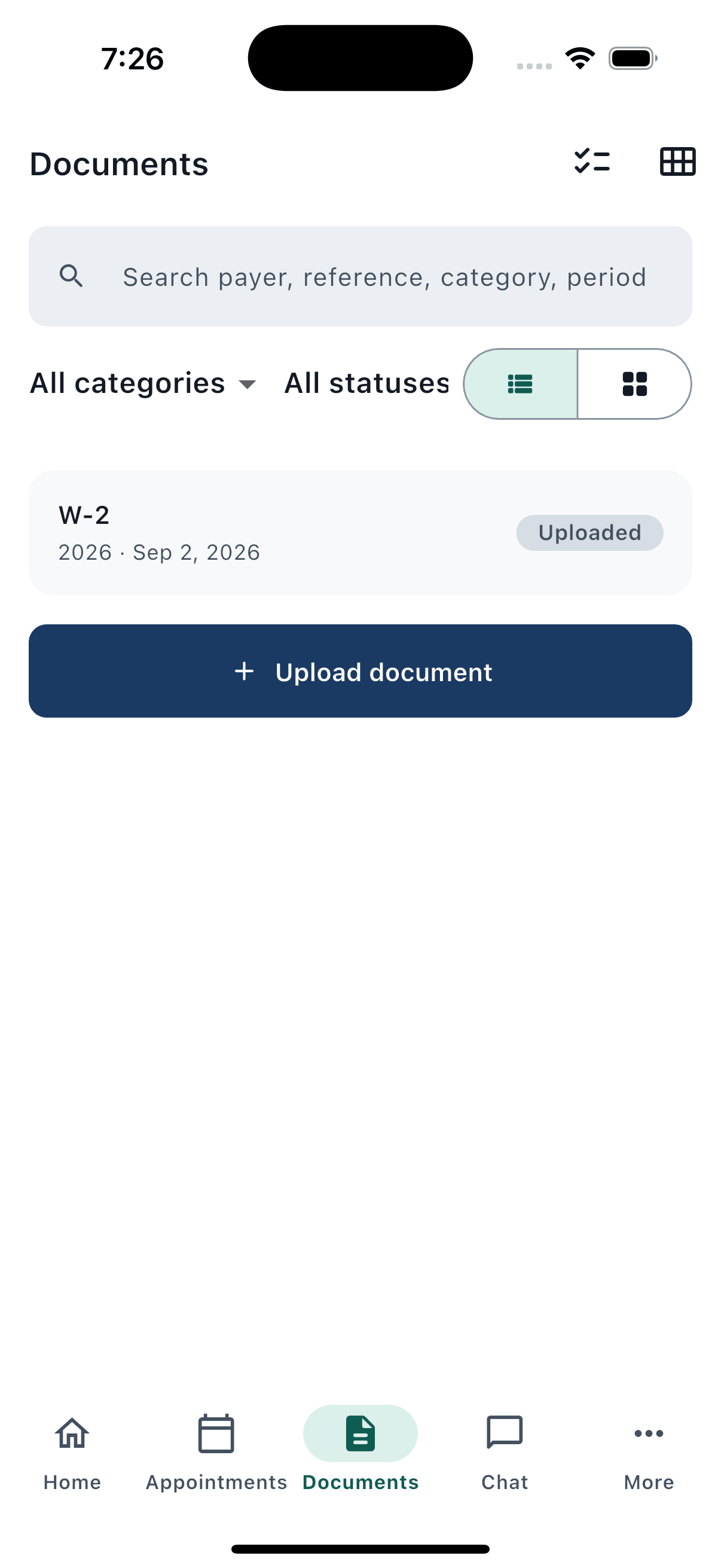
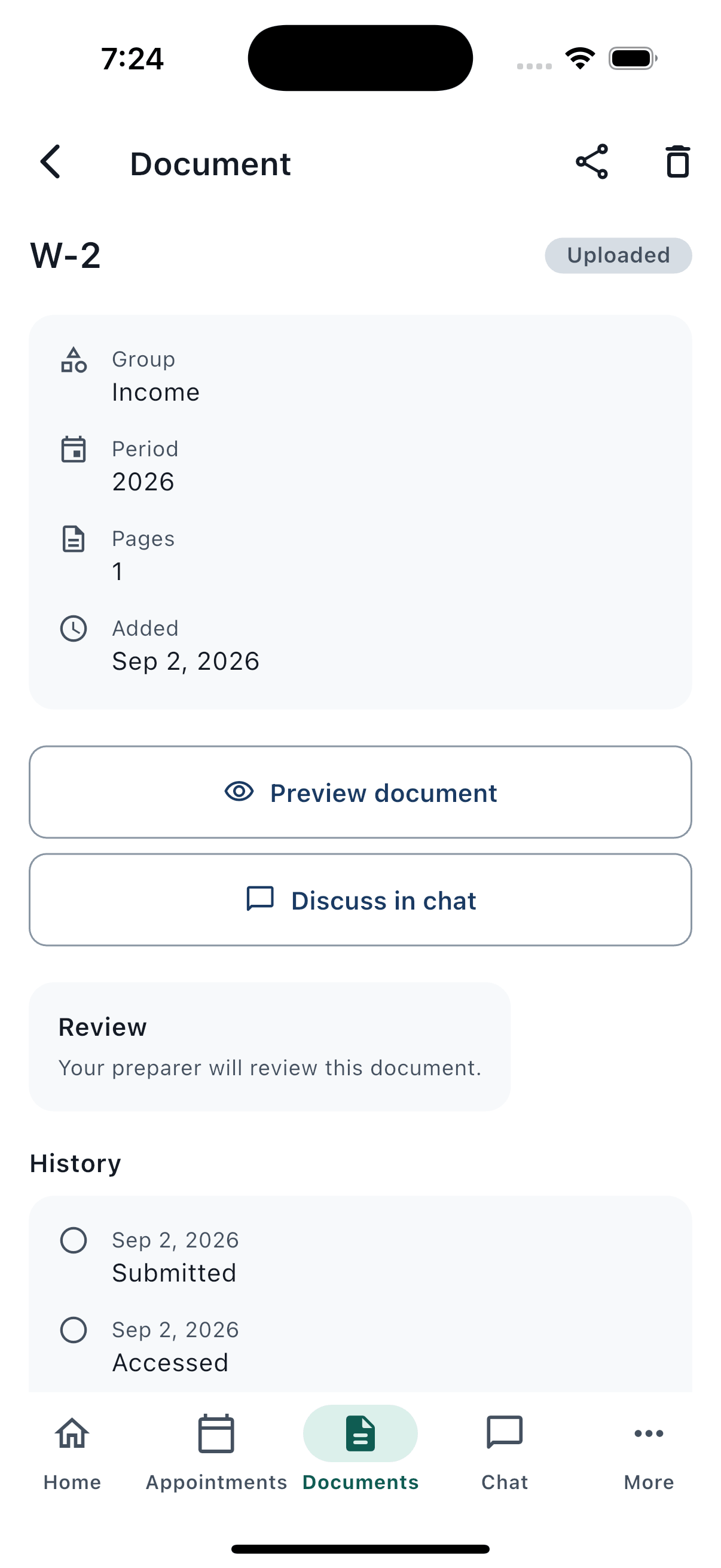
Browse your documents as a list or a visual grid, then filter by category or status, search by keyword, and sort however's most useful — finding last year's receipt takes seconds, not scrolling.
Zoom in for a closer look
Open any document full-screen and pinch to zoom — perfect for checking small print or fine numbers before you send it off.
Share when you need to
Send a copy of any uploaded document to another app or contact directly from TaxTether.
Catch duplicates before they cause confusion
If you upload something that looks like a document you've already sent, TaxTether flags the possible duplicate — so your file stays clean and your preparer isn't reviewing the same thing twice.
Know what's still needed
A period summary and a missing-document checklist show, at a glance, what you've already sent and what's still outstanding for the current tax period.
Secure messaging
A direct line to your preparer — no more digging through email threads or wondering if your message got through.
One ongoing conversation with your firm
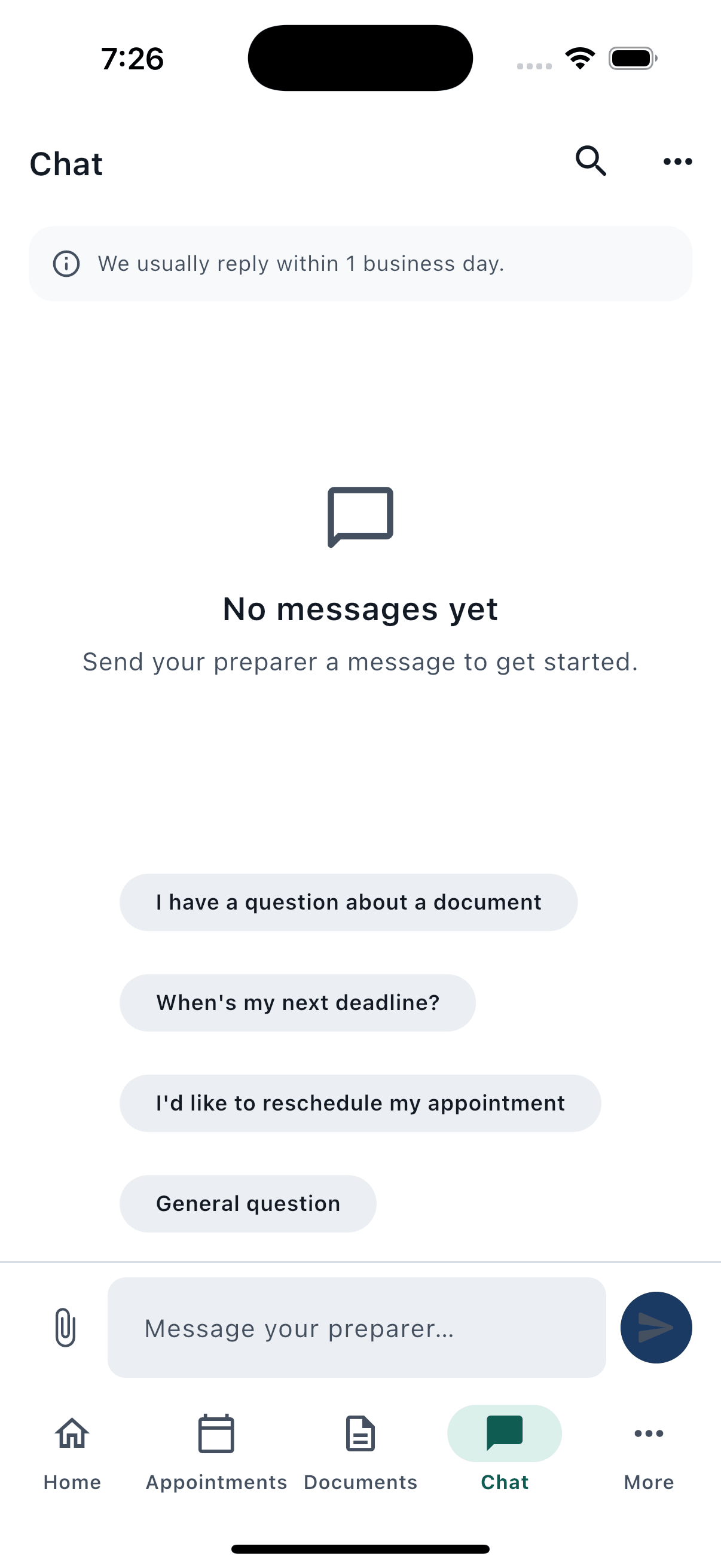
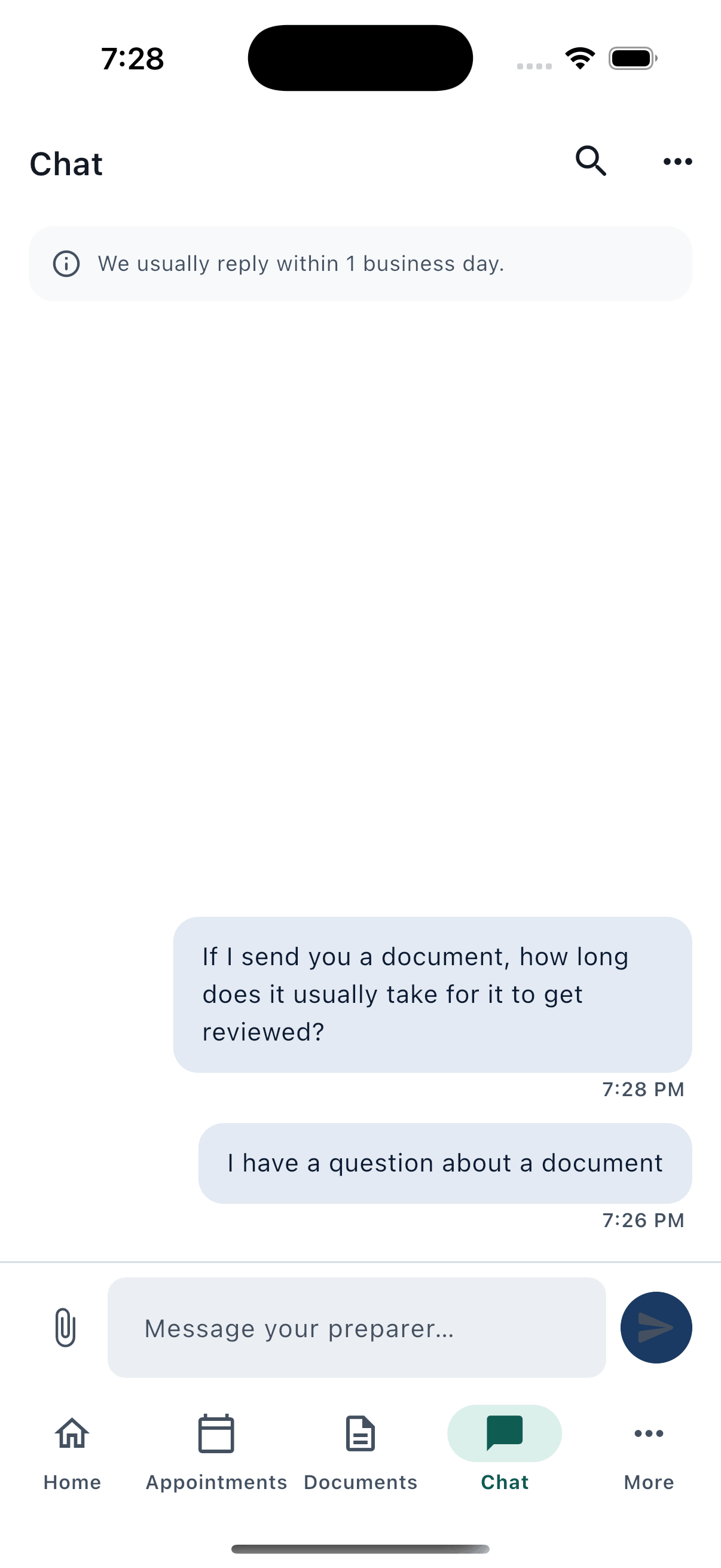
Every message with your preparer lives in a single, persistent thread that arrives in real time — pick up right where you left off, any time.
Attach documents in a tap
Reference an already-uploaded document directly in a message, so your preparer has full context without you re-sending anything.
Quick replies for common questions
Common requests — like asking about a document or your next deadline — are just one tap away with ready-made quick-reply prompts.
Find anything you've discussed
Search your entire message history by keyword to instantly find that one detail your preparer mentioned weeks ago.
Know when to expect a reply
A friendly notice reminds you of your firm's office hours, so you always know roughly when to expect a response.
Protected from sharing sensitive details by accident
If you start typing something that looks like a Social Security Number, card number, password, or government login credential, TaxTether warns you before it's sent — keeping your most sensitive information out of chat messages.
Need something more urgent?
Escalate straight to your firm's main contact details from within the conversation whenever you need a faster response.
Notifications
Stay informed without being overwhelmed — you decide what you hear about, and when.
Choose what you're notified about
Turn notifications on or off by category — appointments, documents, messages, deadlines, and account activity — so you only hear about what matters to you.
Quiet hours
Set your own do-not-disturb window and TaxTether will hold non-urgent notifications until it passes — your evenings stay yours.
Deadline reminders on your terms
Choose how far in advance you're reminded about an upcoming deadline — anywhere from a day to a month ahead.
Tap straight to what matters
Every notification takes you directly to the relevant appointment, document, message, or deadline — no hunting around the app to find what it was about.
A notification center you can revisit
Everything you've been notified about is kept in one place, organized by day, so you can catch up on anything you missed.
Tax calendar & deadlines
Every deadline that actually applies to you, shown clearly — with a simple way to act on it before it's too late.
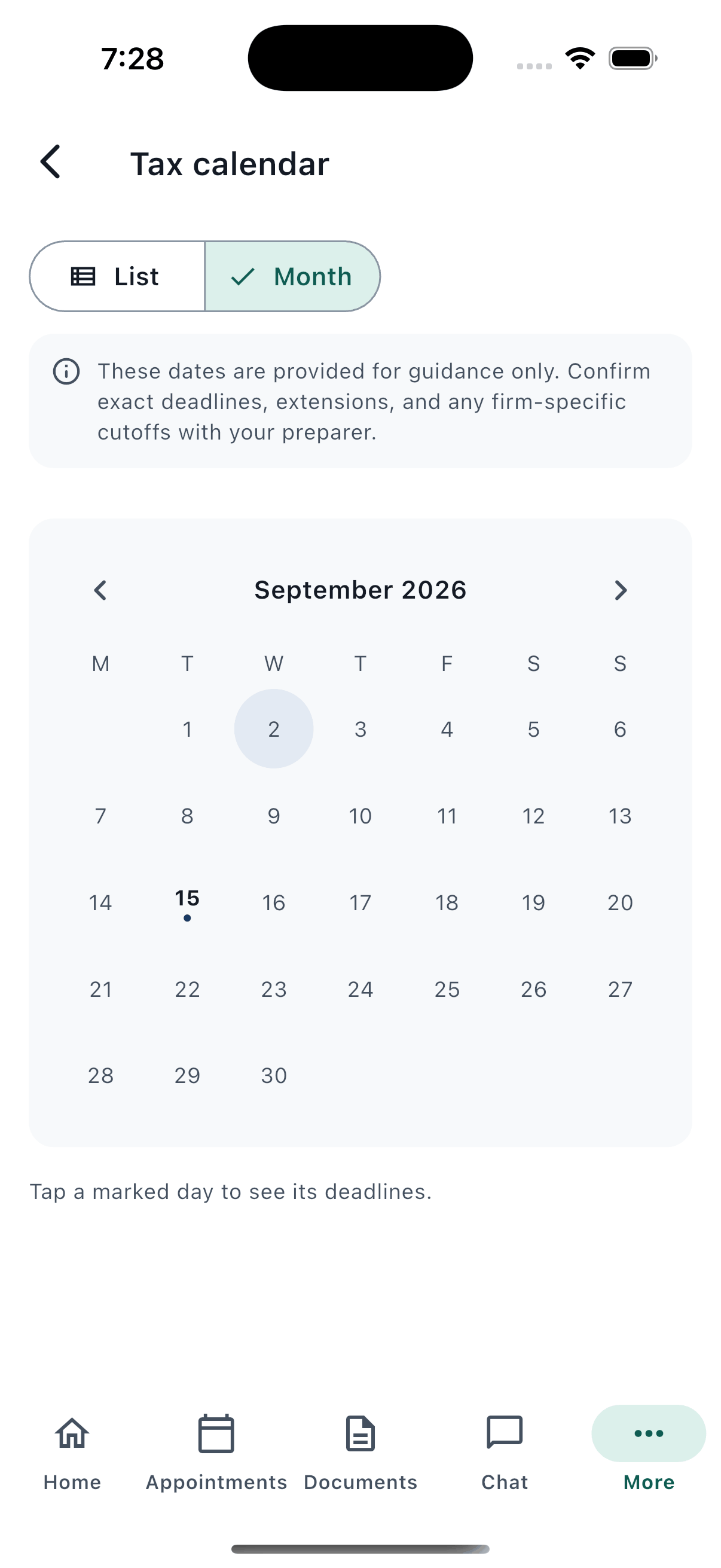
See it your way — list or month view
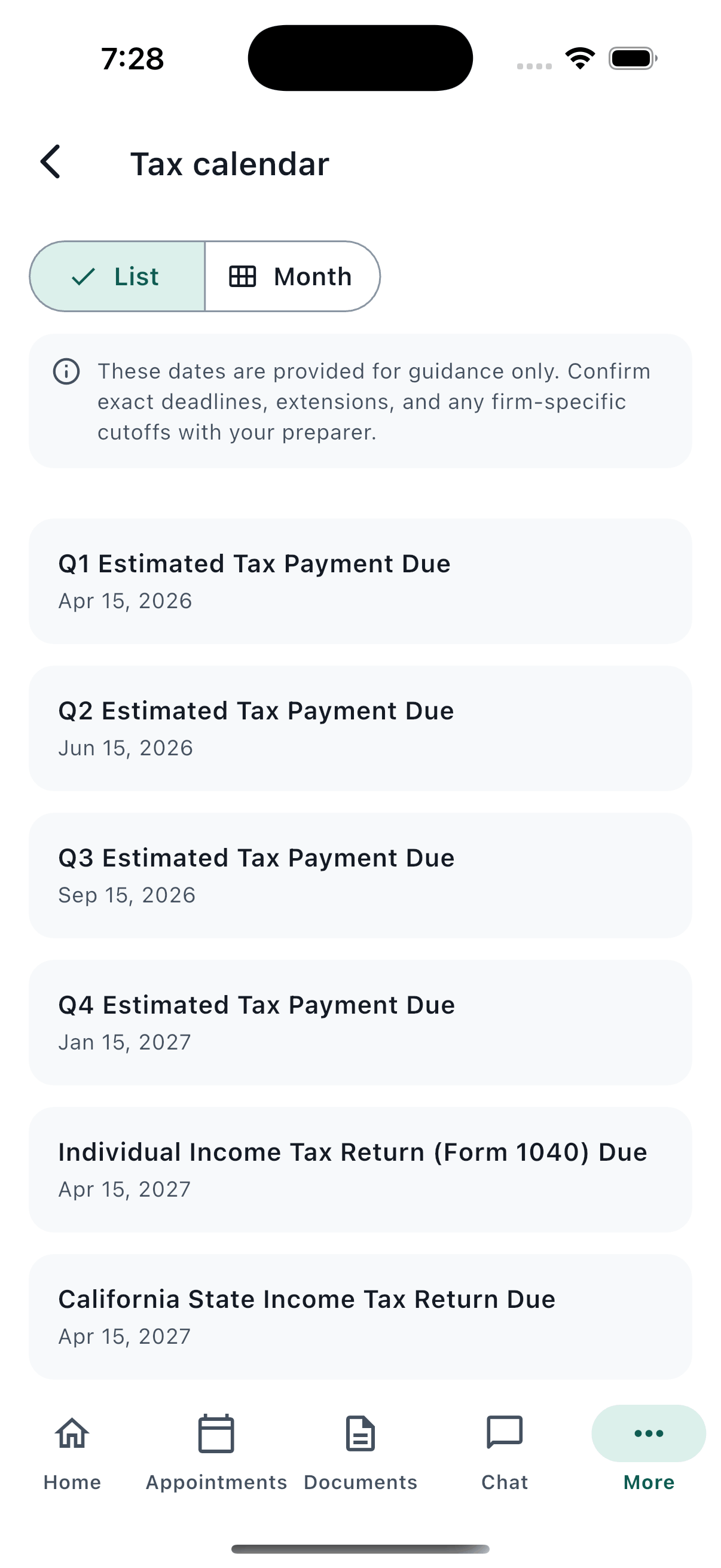
Browse upcoming deadlines as a simple list, or switch to a full month calendar to see everything laid out visually.
Only the deadlines that apply to you
TaxTether automatically filters the calendar down to deadlines relevant to your client type and situation — no wading through dates that don't concern you.
Reminders, set your way
Turn on a reminder for any specific deadline and choose your own lead time, from a day to a month ahead.
Act on a deadline in one tap
Where relevant, a deadline links straight to booking the right appointment or uploading the documents it requires — turning "what do I need to do" into a single tap.
Clear, plain-English guidance
Each deadline is explained in plain language, with an advisory note reminding you that specific advice always comes from your firm.
United States
- Individual return (Form 1040) & extensions
- Quarterly estimated tax payments
- Partnership & S-corp return deadlines
United Kingdom
- Self Assessment registration, paper & online returns
- Payments on account
- Making Tax Digital quarterly updates
- VAT registration threshold watch
Filing & engagement status
See exactly where each piece of work with your firm stands — without needing to ask.
Track every engagement
See a clear list of your active work with the firm — each return, filing, or ongoing engagement — along with its current stage.
Drill into the details
Open any engagement to see its full detail, including which tax year and period it covers.
Download completed work
Once your preparer has finished a document or output for you, it's available to download securely straight from the app.
Know exactly what's left for you to do
A "what you can do" section spells out any outstanding action on your end — plus any specific to-dos your preparer has flagged for you, each with a way to mark it done.
MTD quarterly progress, at a glance (UK)
UK clients in the Making Tax Digital regime can see their quarterly update sub-items laid out clearly against each engagement.
Settings & account
You're always in control of your account, your data, and your privacy — with clear, honest tools to manage all three.
Manage your security
Update your password whenever you like, and review sessions where your account is signed in — with the ability to sign out of any device remotely.
Fine-tune your notifications and uploads
Adjust your notification preferences and choose whether uploads are compressed for speed or kept at original quality.
See what's stored, and clear it
Review what's cached on your device and clear it in one tap whenever you'd like a clean slate.
Export your data, any time
Request a full export of your data and receive a secure download link by email — your information belongs to you.
Delete your account, on your terms
Choose to delete your account and TaxTether schedules the deletion with a 30-day grace period — plenty of time to change your mind and cancel before it's final.
Help & support
Answers and help are never more than a couple of taps away.
Frequently asked questions
A built-in FAQ, tailored to your jurisdiction, answers common questions about how TaxTether and the filing process work.
Contact your firm directly
Firm phone number, email, office address, hours, and a map — all in one place, so reaching a real person is never a search.
Report a problem
Run into an issue with the app? Submit a ticket directly from Settings — pick a category, describe what happened, and it's sent straight to support.
Helpful tips, right when you need them
Short, contextual coach marks introduce new features the first time you encounter them — and never nag you again once dismissed.
Security & privacy
Your tax information is some of the most sensitive data you have. TaxTether is built to protect it at every step.
Encrypted in transit and at rest
Your data is protected with strong, industry-standard encryption both while it travels to the firm and while it's stored.
Sensitive numbers, minimized
Identifiers like your SSN or ITIN are only ever shown as their last four digits — the full number is never displayed back to you in the app.
Screenshot protection
On supported devices, sensitive screens are shielded from screenshots and app-switcher previews, so your details don't linger where they shouldn't.
You decide who acts for you
Authorizations that let your firm act on your behalf are always explicit, recorded, and revocable — you're never signed up to something you didn't agree to.